WindNerd OnSpot
The WindNerd OnSpot is an autonomous cellular sensor board: it measures wind speed and direction and uploads it to windnerd.net over the mobile (LTE) network. Powered by a Sunbank solar base, it needs no Wi-Fi and no wired power, so it can monitor the wind anywhere with mobile coverage.
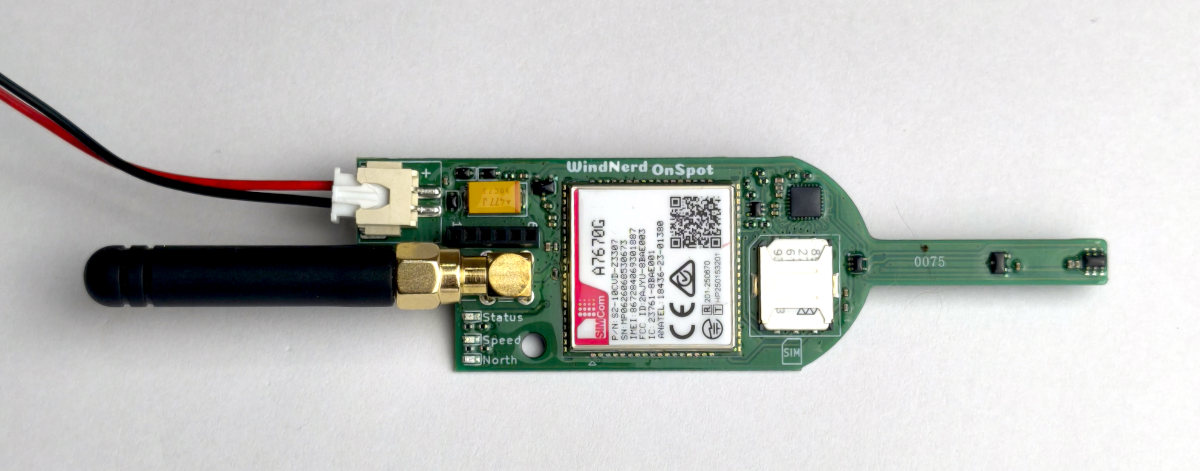
Activate the Station on Windnerd.net
To use with windnerd.net, the station must be activated and linked to an email account using the activation code present on the package. This is done from the windnerd.net management console. See First Connection.
To get your OnSpot online for the first time, follow the initial setup guide.
Optional Sensor
An optional temperature and pressure sensor can be plugged onto the board. The temperature reading is not accurate in direct sun, but gives a useful indication at night.
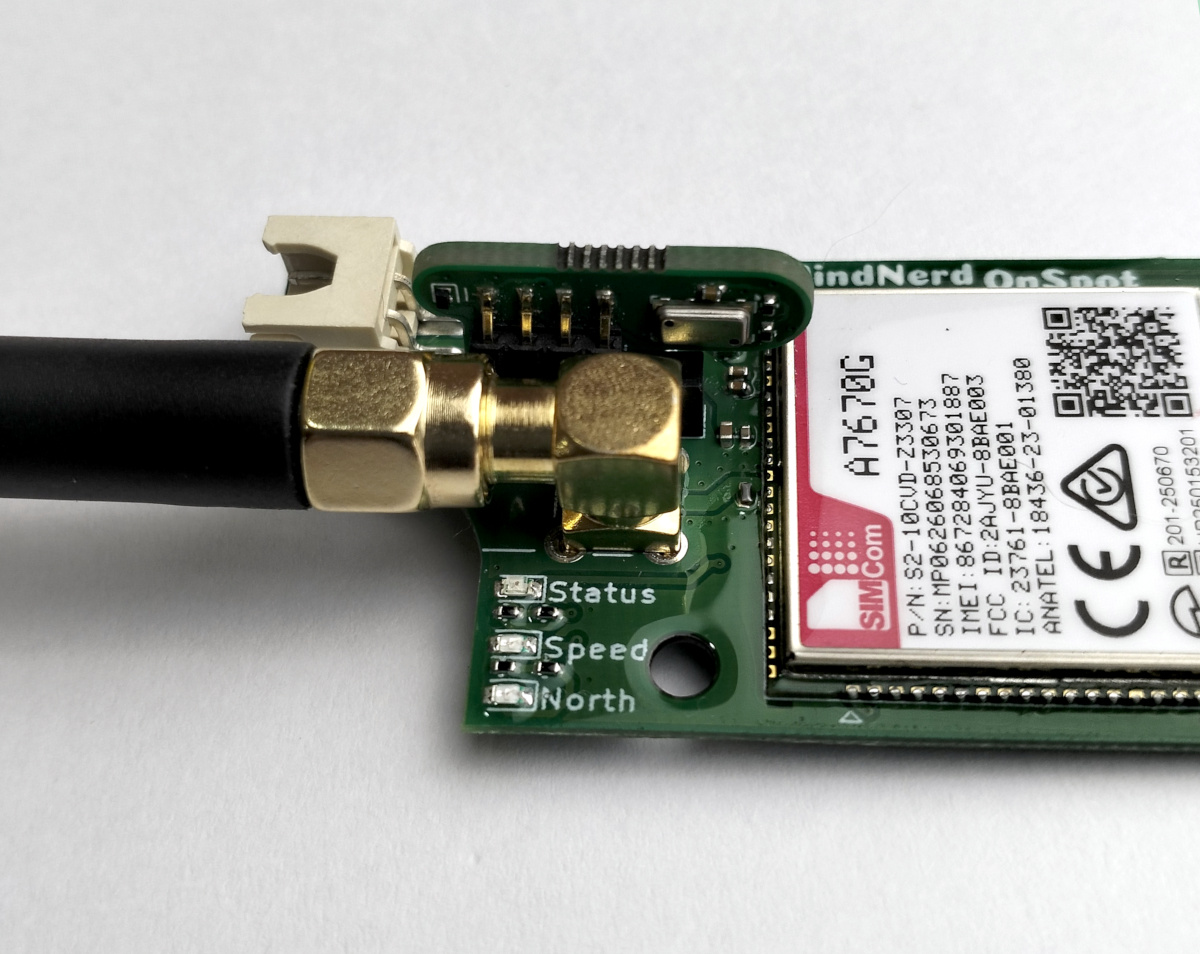
The board must be powered off before plugging or removing the sensor.
Status Light
Every ~3 seconds, the red status light emits a burst of short flashes. The number of flashes tells you the current status:
| Flashes | Meaning | Status |
|---|---|---|
| 1 | Online, optional sensor detected | ✅ Healthy |
| 2 | Online, no optional sensor detected (wind works) | ✅ Healthy |
| 3 | SIM ready, not yet connected to the network | ⏳ Wait |
| 4 | SIM locked: PIN/PUK required | ❌ Action needed |
| 5 | No SIM detected | ❌ Action needed |
| 6 | Modem not responding or still starting up | ⏳ Wait |
One pattern overrides all of the above: a slow on/off blink (~2 s on, 2 s off) means the battery is too low to power the modem. Charge the device.
A burst of 1 or 2 flashes is the normal running state. Codes 3 and 6 are transient during start-up and should resolve within a minute or two; if they persist, see the troubleshooting table.
Firmware Updates
If an update is ever needed for your device, you will be able to reprogram the firmware with the provided USB tool through a simple web application.
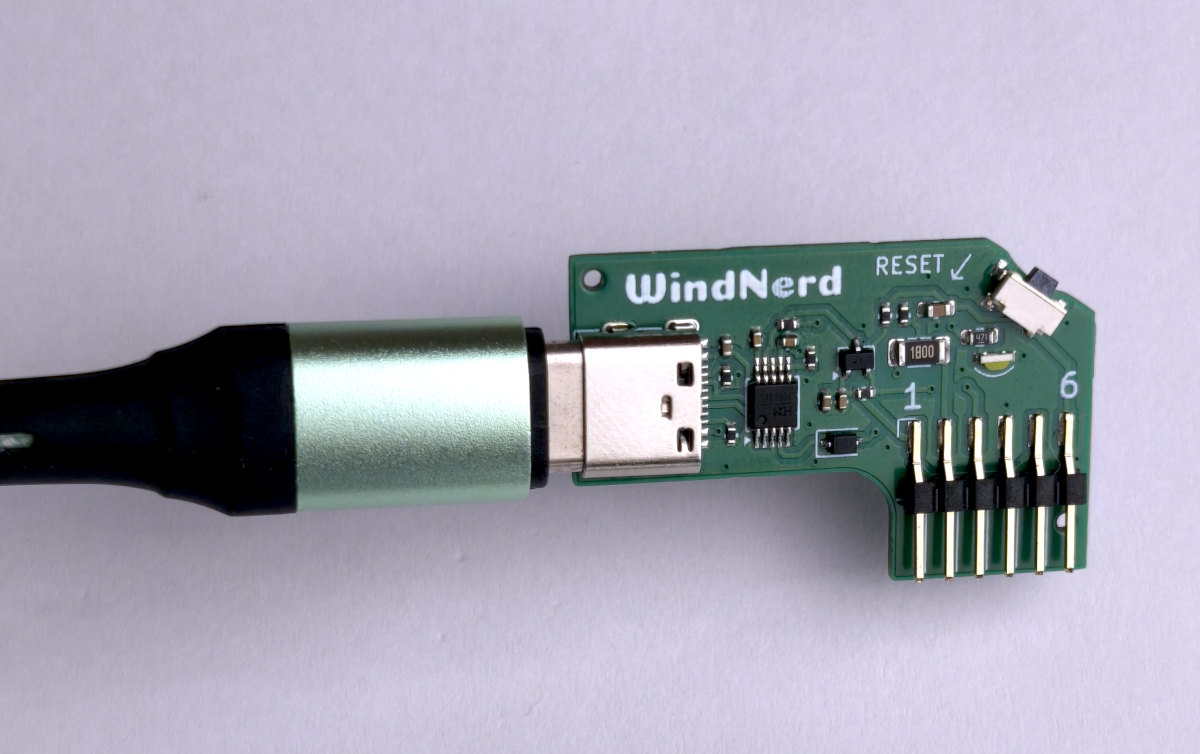
Open Source Firmware
The firmware running inside the OnSpot is open source. You don't need it to use the device; it is published for advanced users who like to look under the hood or want to adapt it to other platforms or needs. The firmware repository also contains the full reference for testers and developers: serial log format, build and flash instructions, and an overview of how the firmware works internally.