Windnerd.net
windnerd.net is where every WindNerd station publishes its measurements: each station has a page showing live wind and the full historical archive.
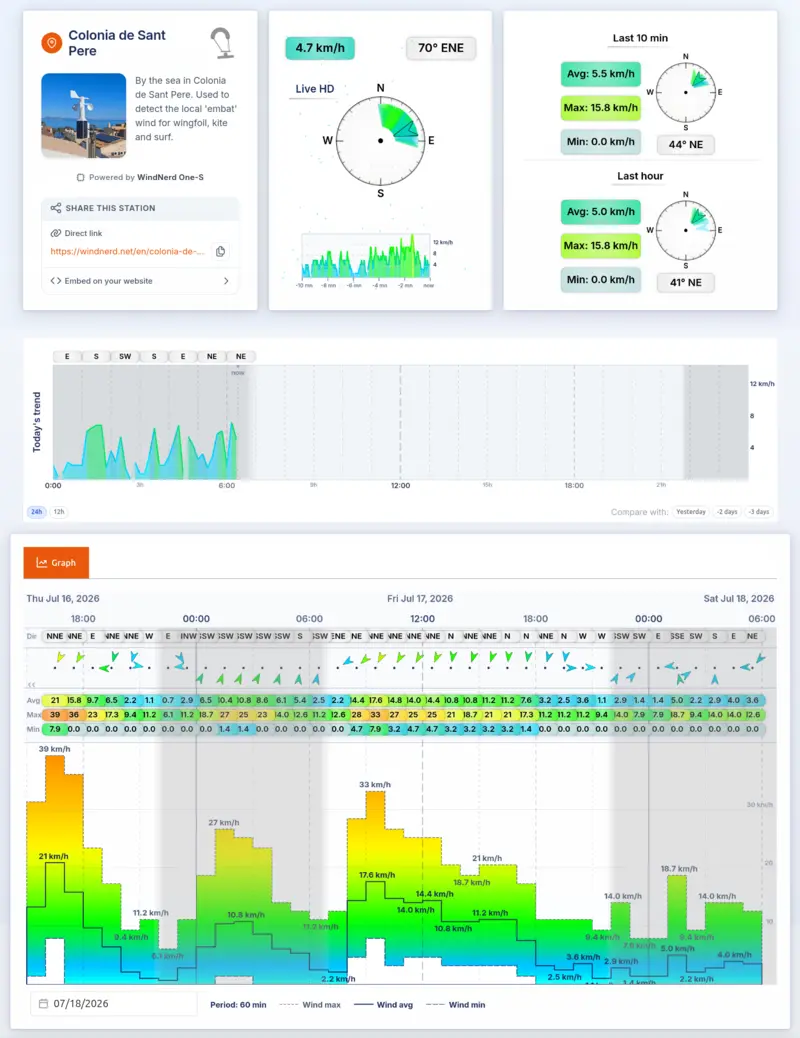
How the data gets there
- WindNerd HQ (and the discontinued One and One-S) uploads over your local Wi-Fi network.
- WindNerd OnSpot uploads over the cellular (LTE) network, so it works anywhere with mobile coverage.
A station counts as online when it has recorded data within the last 20 minutes. If you prefer not to share data online, a WindNerd HQ can opt out at any time from its local dashboard.
Devices, locations and accounts
Three notions organize everything on windnerd.net:
- A device is the sensor board itself (an HQ, OnSpot, One or One-S), identified by its serial number.
- A location is the station as visitors see it: its name, spot on the map, visibility, and, most importantly, its wind history. Each device always carries one active location, and archived locations can be restored or transferred to another device, so a spot's wind record survives hardware changes.
- An account is your email login. Linking devices to an account lets you manage all your stations from one place. An OnSpot is linked with the activation code printed on its package; an HQ by signing in from the device's QR code or authentication link.
Where to go next
- Station Management: sign in, edit your station's name, visibility and spot settings, archive or transfer locations, and use the owner-only station view.
- Reading a Station Page: live view, colors and arrows, day charts and the history graph.
- Wind Forwarding: push your station's data to Windy or Windguru.