Station Tab
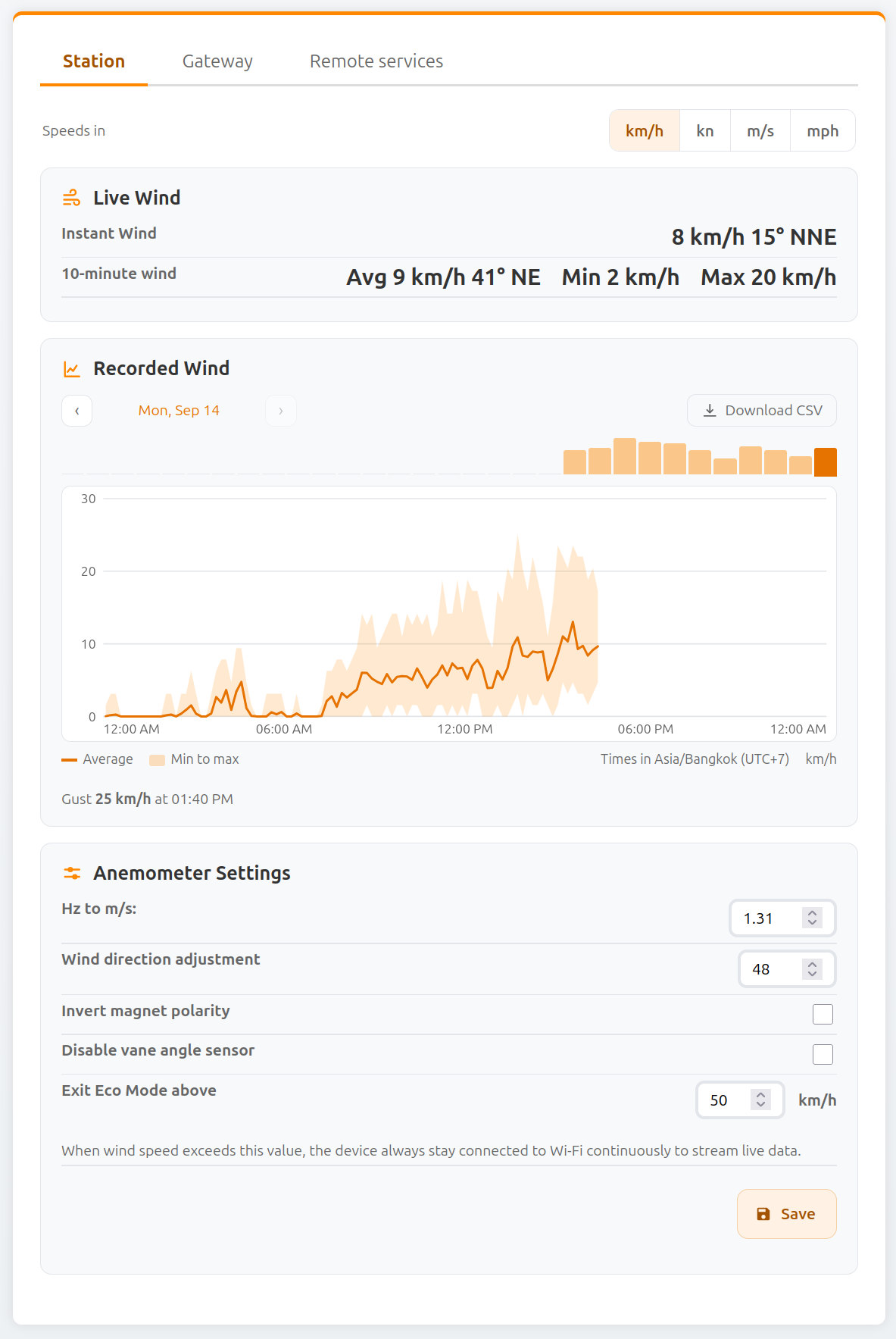
Speed Unit
| Field Name | Type | Description |
|---|---|---|
| Speeds in | Selector | Unit used to display speeds on this page: km/h, kn, m/s or mph. It applies to live wind, the recorded wind chart, the CSV download and the Exit Eco Mode above field. The choice is remembered by your browser; it does not change the units sent to MQTT or weather services. |
Live Wind
| Field Name | Type | Description |
|---|---|---|
| Instant Wind | Info | Current wind speed and direction measured by the sensor. |
| 10-minute wind | Info | Average, minimum, and maximum wind speed over the last 10 minutes. Average wind direction over the same period. |
Recorded Wind
The device keeps its own wind history: one report per minute (average, minimum, maximum and direction) stored in its flash memory, about 30 days deep. The oldest reports are overwritten as new ones arrive. The history survives reboots and power loss, and keeps being recorded while in Eco mode or when the device is offline.
| Field Name | Type | Description |
|---|---|---|
| Day chart | Chart | Wind for the selected day, in your browser's local time: 10-minute averages as a line, with the minimum to maximum range shaded. Hover or touch the chart to read values. |
| ‹ / › | Buttons | Go to the previous or next day. |
| Day selector | Buttons | Jump to one of the last 31 days. |
| Download CSV | Link | Download wind-history.csv, containing every stored 1-minute report in the selected speed unit, oldest first. Columns: local time, Unix time (UTC), scalar and vector average speed, maximum, minimum and direction. |
info
Reports are dated using the time received from windnerd.net or, when the device is not connected to it, from the Time server set in the Gateway tab. Minutes recorded before the device learned the time are kept, but cannot be placed on a day: they are left out of the chart and appear in the CSV with empty time columns.
A factory reset erases the recorded history.
Anemometer Settings
| Field Name | Type | Description |
|---|---|---|
| Hz to m/s | Input | Conversion factor used to translate rotor frequency (Hz) into wind speed (m/s). Useful when using a modified rotor. Default: 1.31 m/s |
| Wind Direction Adjustment (°) | Input | Applies a fixed offset to correct wind direction if the anemometer is not aligned with true north. |
| Invert Magnet Polarity | Checkbox | Enable if north and south directions are reported in reverse. |
| Disable Vane Angle Sensor | Checkbox | Ignores wind direction readings. Wind speed is averaged using a scalar (1D) method and direction is omitted from reports. |
| Exit Eco Mode Above | Input | Wind speed, in the unit selected at the top of the page, above which the device stays permanently connected to Wi-Fi for real-time data and automations. Ignored when the Eco mode override is set to Always Eco. |
| Save | Button | Apply and store the current anemometer configuration. |