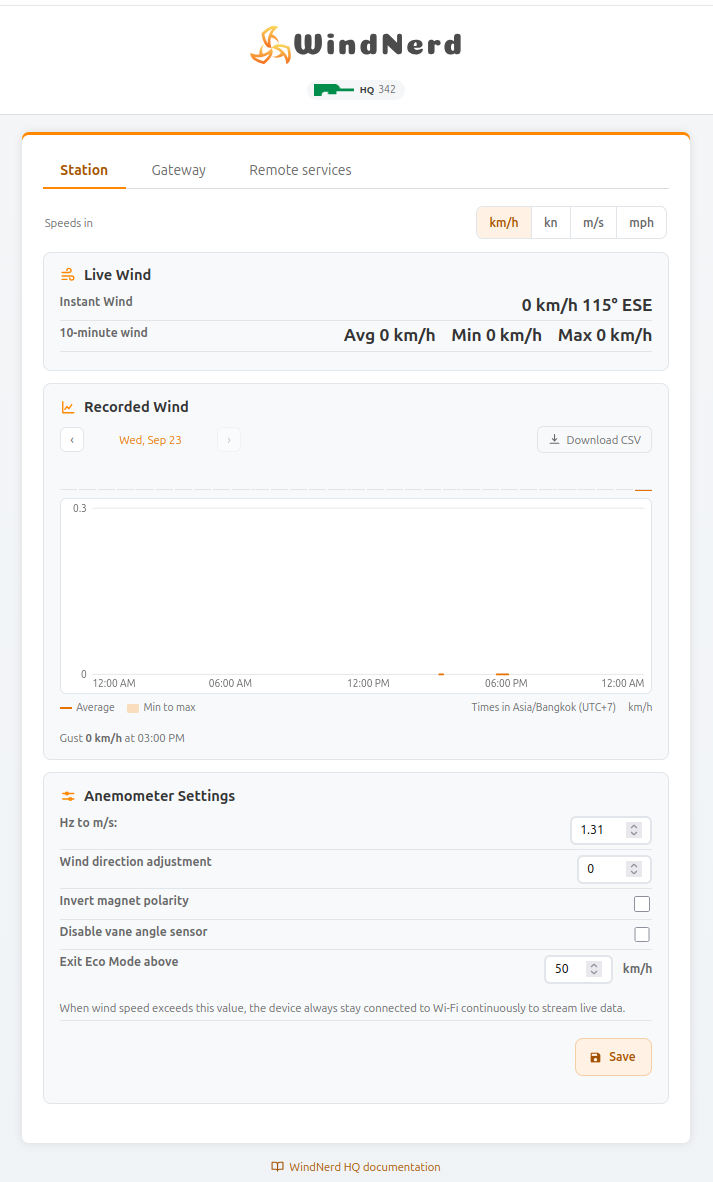
WindNerd HQ Local Dashboard
Your WindNerd HQ has its own built-in local dashboard, a webpage you can open in your browser from your local network. To use it, go to http://windnerd-hq-xxx.local, where xxx is your device's serial number. The shorter address http://wnxxx.local also works.
Some operating systems or routers may block .local addresses. If that happens, you can access the page using the device’s local IP address instead. There are a few ways to find it:
-
At the end of the initial Wi-Fi setup, the confirmation screen shows the device's addresses with a Copy button. Keep in mind, the IP address might change over time.
-
If you’re logged into windnerd.net, the station management page shows the last known local IP. It might be outdated if the network changed.
-
You can also find the IP address on your internet router’s settings page. Look for a device named windnerd-hq-xxx; the IP address shown there is always up to date.
Once you have the IP address, type it into the address bar of your browser (like Chrome or Safari) to open the WindNerd’s local dashboard.

While the WindNerd HQ is in Eco mode, Wi-Fi is only on for a few seconds at a time, so the local dashboard is not accessible.
Wi-Fi connection and access to the configuration can be temporarily restored for 3 minutes by pressing the button for 1 second.