Gateway Tab
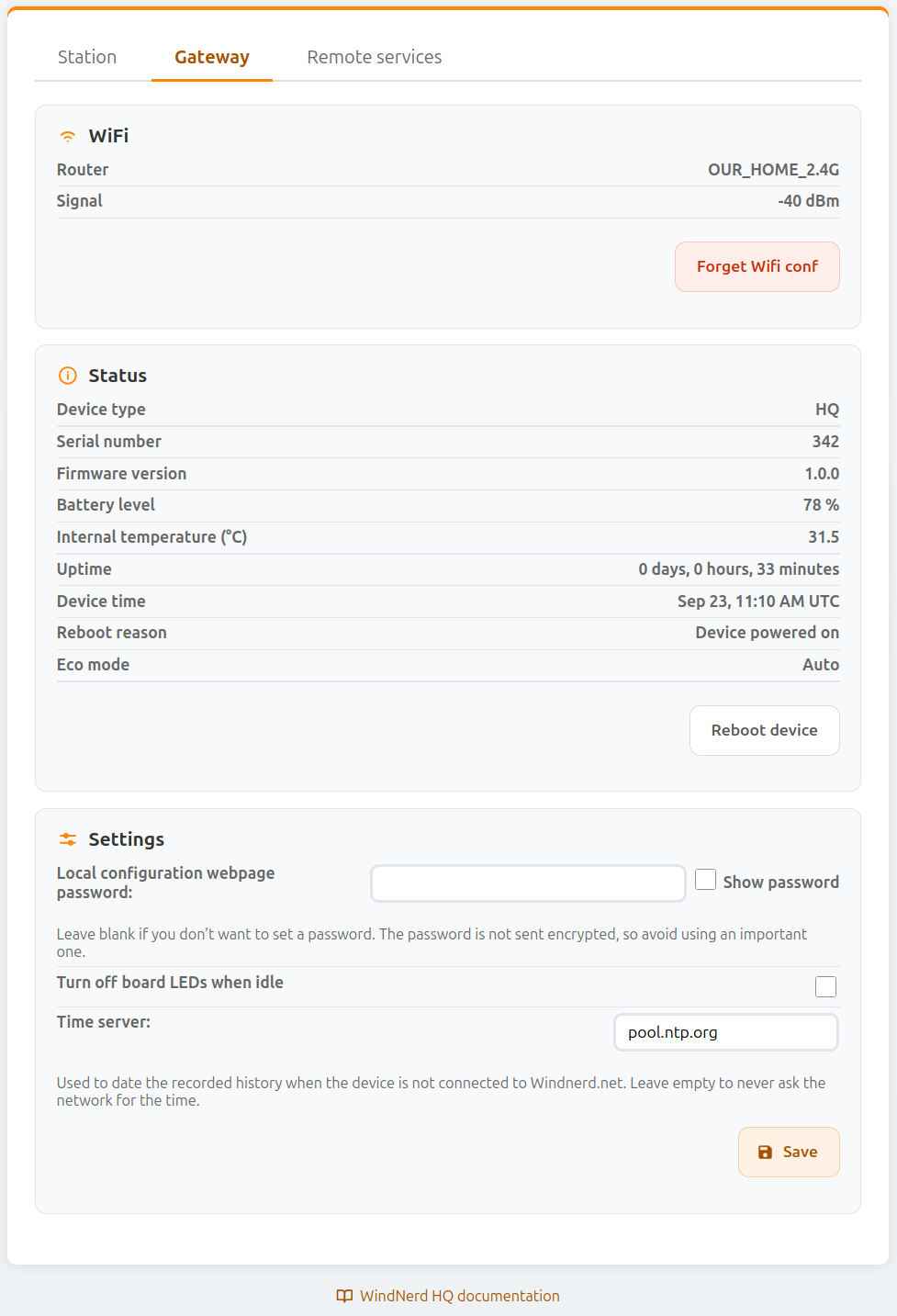
Wi-Fi
| Field Name | Type | Description |
|---|---|---|
| Router | Info | Name (SSID) of the connected Wi-Fi network. |
| Signal | Info | Wi-Fi signal strength in dBm. Values above −80 dBm are generally acceptable. |
| Forget Wi-Fi conf | Button | Remove the currently saved Wi-Fi network credentials. The gateway will disconnect from the network and start as AP waiting for reconfiguration. |
Status
| Field Name | Type | Description |
|---|---|---|
| Device Type | Info | Board model: HQ. |
| Serial Number | Info | Unique identifier assigned to the device. |
| Firmware Version | Info | Currently installed firmware version. |
| Battery Level | Info | Battery level in percent when running on the Sunbank. On the power cable, the USB supply voltage is shown instead. |
| Internal Temperature (°C) | Info | Temperature measured inside the device from the vane sensor. |
| Uptime | Info | Time elapsed since the gateway was last started or rebooted. |
| Device Time | Info | Date and time of the device's clock, shown in your browser's time zone. Not available until the device has received the time from windnerd.net or the time server. |
| Reboot Reason | Info | Reason for the most recent reboot. |
| Eco Mode | Info | Current Eco mode setting: Auto, Always Eco or Never Eco. |
| Back to Auto | Button | Shown when Eco mode is set to Always Eco or Never Eco. Returns the device to automatic energy management. |
| Update Firmware | Button | Update the device to the latest firmware version. This option is displayed only when a new version is available. Note: On some earlier firmware versions, a bug may prevent successful updates after long uptimes. Reboot the device before updating to ensure success. |
| Reboot Device | Button | Reboot the device immediately. |
Settings
| Field Name | Type | Description |
|---|---|---|
| Local Configuration Webpage Password | Input | Sets a password to restrict access to the local dashboard. Leave blank for no password. The password is not sent encrypted, so avoid using an important one. |
| Turn off board LEDs when idle | Checkbox | When enabled, the LEDs on the electronics board automatically turn off when the device is idle. Pressing the button temporarily reactivates them for 1 minute. |
| Time Server | Input | Time server (NTP) used to set the device's clock, and so date the recorded wind, when the device is not connected to windnerd.net. Default: pool.ntp.org. Leave empty to never ask the network for the time. |
| Save | Button | Apply and store the current gateway configuration. |
Eco Mode
The HQ manages its own energy: it estimates how much solar energy is available and picks the most responsive mode it can afford.
| Mode | Wi-Fi | Local dashboard and HTTP API |
|---|---|---|
| Continuous | Always connected | Available |
| Continuous with power saving | Always connected, with the deepest Wi-Fi power saving | Available, but the .local address may take a few attempts to open |
| Eco, every 1, 2 or 5 minutes | Connects briefly to publish data, then turns off | Not available |
| No radio | Off: wind is recorded but not published until battery level improves | Not available |
In every mode, wind is still measured and recorded every minute. MQTT and weather services receive data at each Eco cycle.
Whatever its energy budget, the device stays out of Eco mode when:
- the board was powered or resetted in the last 3 minutes.
- the button was pressed in the last 3 minutes.
- the wind is above the Exit Eco Mode above speed, set in the Station tab
- exiting from eco was triggered from windnerd.net
When the battery is too low to turn the radio on, the device stays in No radio mode. Wind is still recorded, and the missing history is uploaded to windnerd.net once power is back.
Overriding Eco mode
| Setting | Behaviour |
|---|---|
| Auto (default) | The energy budget decides, as described above. |
| Always Eco | The device always runs in Eco mode, even with a full battery. A button press still brings Wi-Fi back temporarily, and the wind threshold is ignored. |
| Never Eco | Wi-Fi stays connected whatever the battery level, until the battery is too low to start Wi-Fi. Use with care on solar installations. |
The setting can be changed from Home Assistant. The local dashboard shows the current setting in the Status section, with a Back to Auto button.