Remote Services Tab
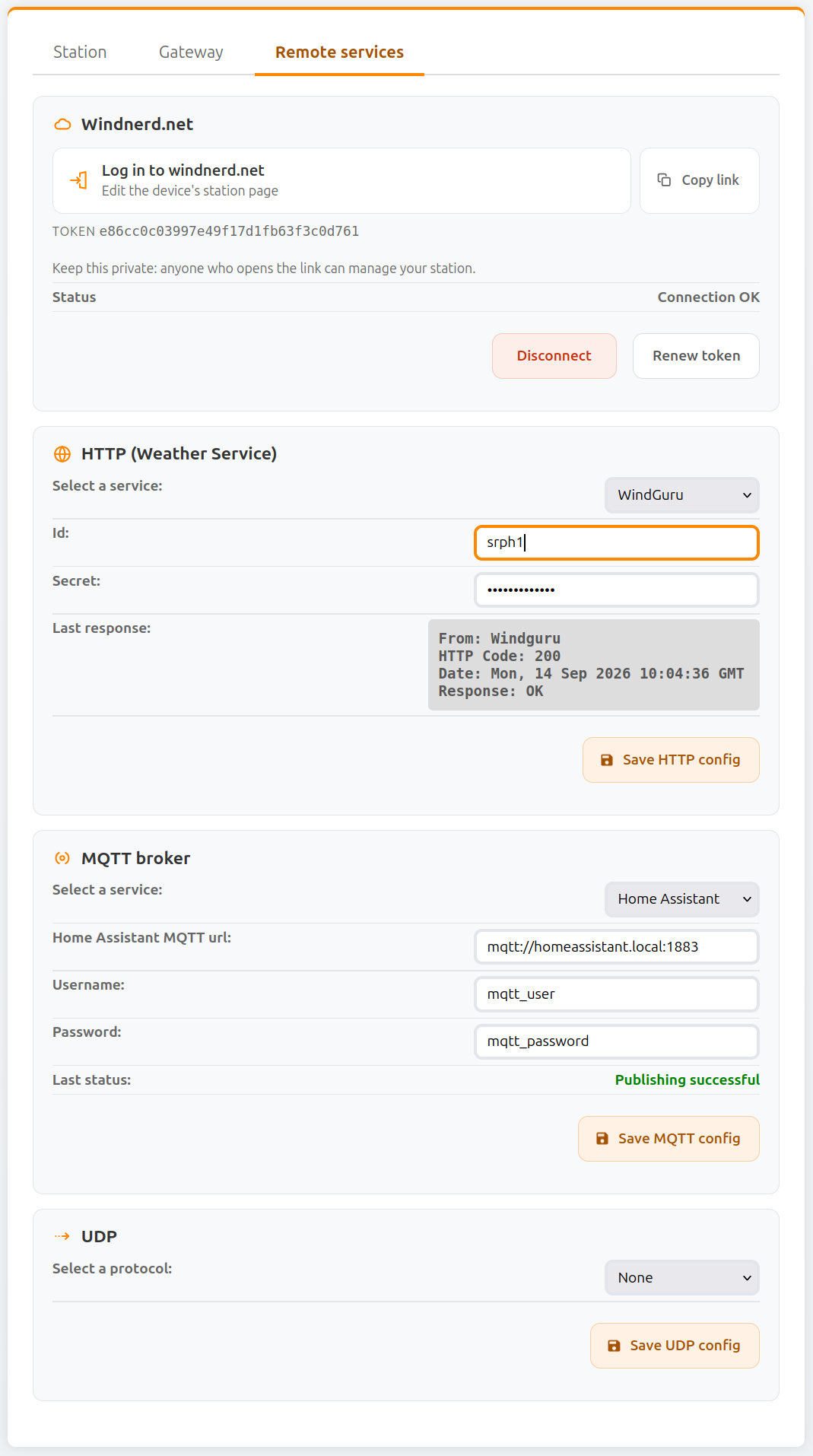
Windnerd.net
| Field Name | Type | Description |
|---|---|---|
| Log in to windnerd.net | Link | Link containing your token, used to log into windnerd.net and manage your station information. |
| Copy link | Button | Copy the login link, for example to open it on another device. |
| Token | Info | Token used to authenticate the gateway operator with windnerd.net. Keep this token private: anyone who opens the link can manage your station. Renewing the token will invalidate the QR code provided with the board. |
| Status | Info | Current authentication and connection status with windnerd.net. |
| Renew Token | Button | Generate a new authentication token. This will invalidate the existing token and any associated link or QR code. |
| Disconnect | Button | Permanently disconnect the device from windnerd.net. |
| Reconnect | Button | Shown after disconnecting. Reconnects the device to windnerd.net. |
When the connection to windnerd.net comes back after an outage, the device uploads the 1-minute reports recorded in the meantime, so the station history on windnerd.net has no gap.
MQTT broker
See dedicated page -> MQTT
Weather Service (HTTP)
See dedicated page -> Weather Service
UDP
The device can transmit instant wind speed and direction over UDP to another device on the network.
A message is sent every 3 seconds.
This feature allows the WindNerd HQ to feed wind data directly to navigation or monitoring software listening for UDP packets.
| Field Name | Type | Description |
|---|---|---|
| Protocol | Select | Protocol used to encode wind data. Currently only NMEA0183 is supported. |
| URL | Input | Address of the destination device. This can be an IPv4 address (e.g. 192.168.1.50) or a domain name if DNS or mDNS is available on the network. |
| Port | Input | UDP port on which the destination device listens for incoming packets. |
| Save UDP config | Button | Apply and store the current UDP configuration. |
info
UDP transmission requires a continuous network connection. For this reason, it is disabled when the WindNerd HQ operates in Eco mode.